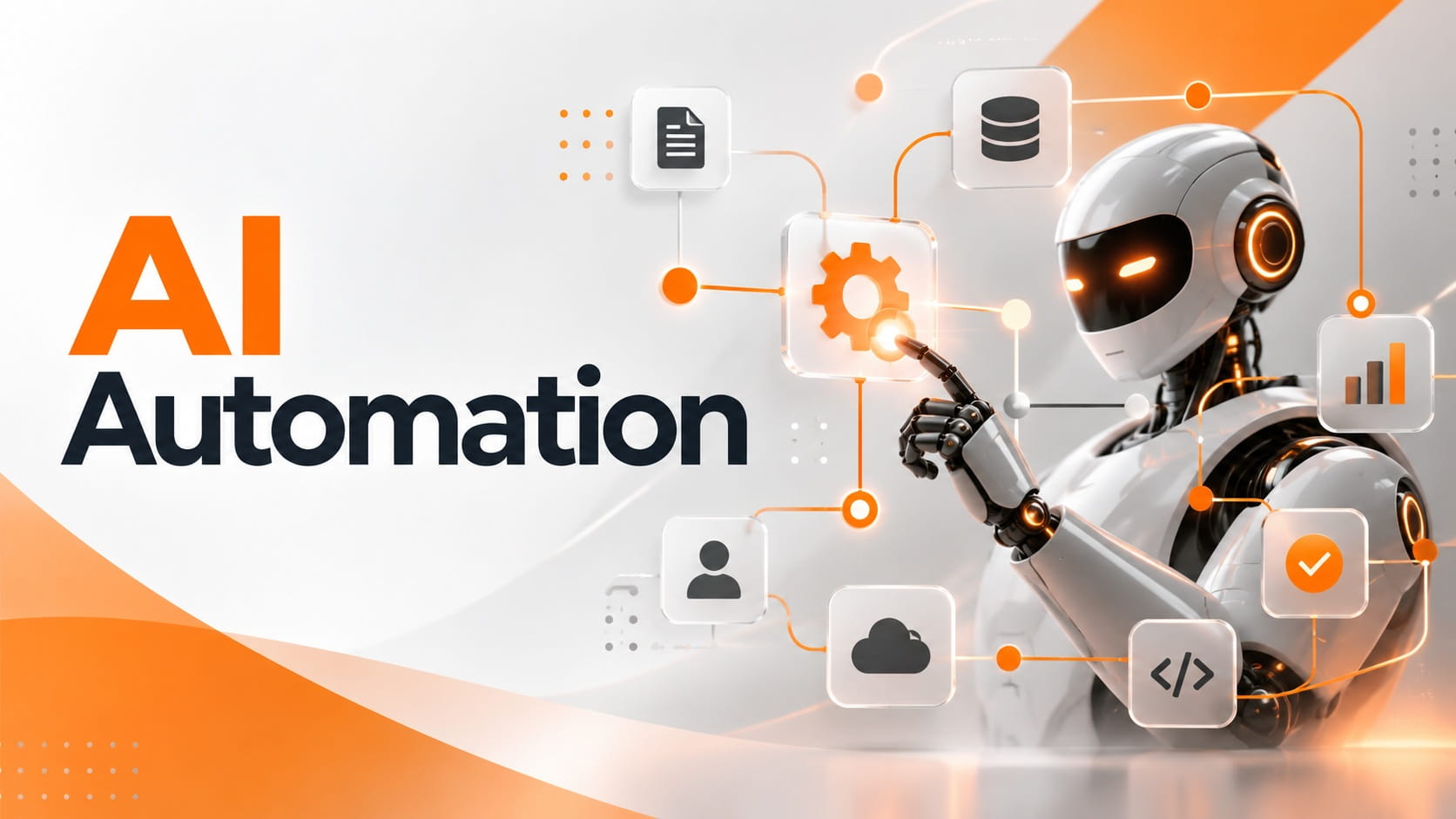
AI automation starts where traditional automation reaches its limit. A standard workflow can follow a rule such as sending an email after a form submission. Add AI, and the same workflow can read what the customer wrote, understand the request, classify it, prepare a response and decide where the request should go next.
That is the part of AI automation I find most useful. It is not about automating every task in a company. It is about giving automation enough intelligence to deal with information that fixed rules cannot handle well.
For businesses exploring artificial intelligence, this creates a practical path from individual AI tools to workflows that can complete real work.
AI Automation vs Traditional Automation
The difference becomes clear when you look at what happens between the trigger and the action.
Traditional automation works best when the rules are already known.
A payment is completed, so a receipt is sent.
A lead enters a CRM, so a task is created.
A meeting is booked, so a confirmation email goes out.
AI automation becomes useful when the workflow has to understand something before it can choose the next step.
An email arrives, but its purpose is not stored in a neat field. A PDF contains information that needs to be extracted. A customer describes a problem in their own words. A sales lead needs to be evaluated using several pieces of context.
AWS makes the same distinction between automation built around defined procedures and AI automation that extends those systems to handle more complex inputs and tasks
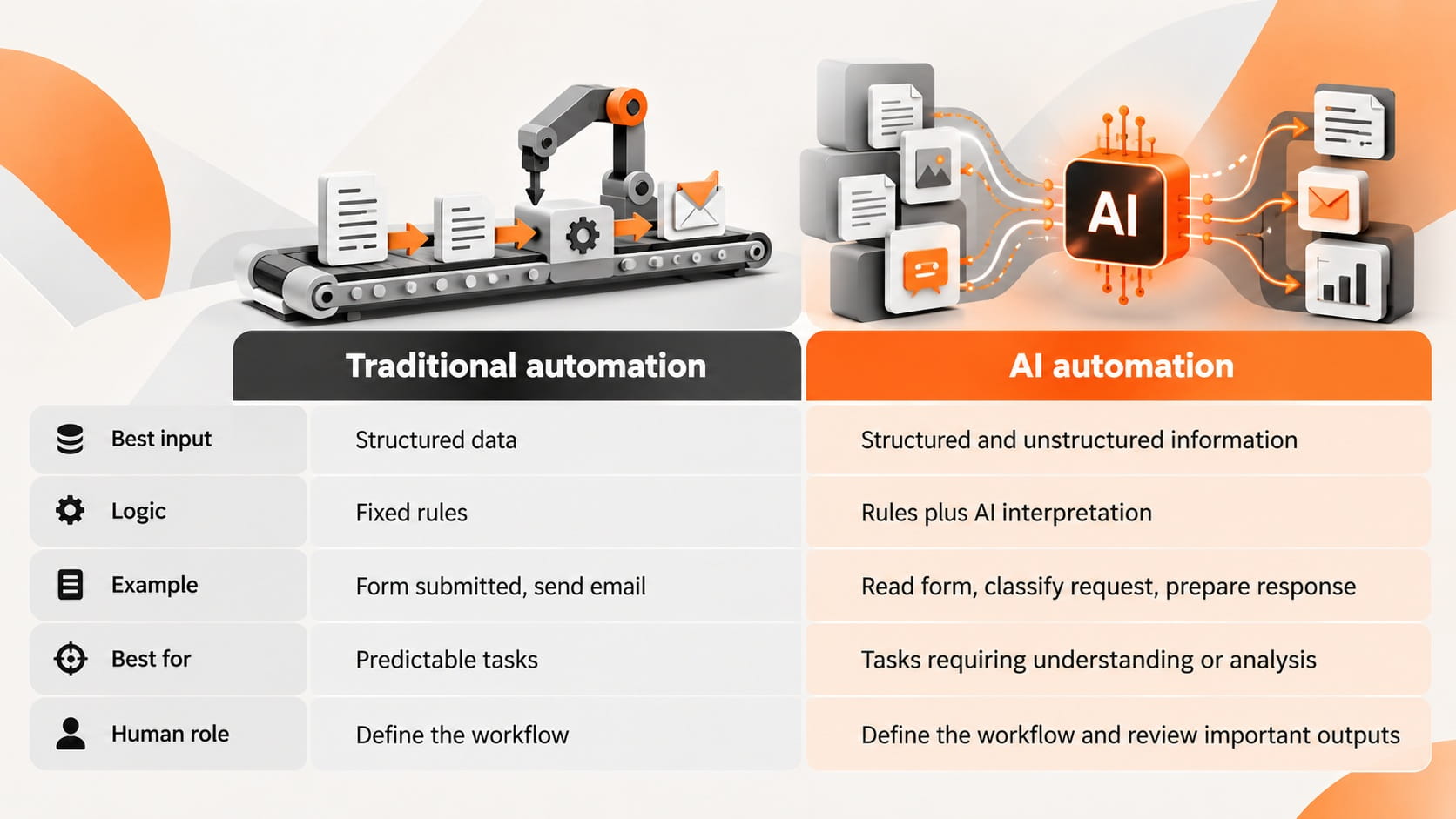
This does not make AI automation automatically better.
If a fixed rule can complete the job reliably, I would use the fixed rule.
Adding AI to a process that does not need interpretation creates cost and complexity without adding useful capability.
How AI Automation Works
I think of an AI automated workflow as a chain with intelligence added only where the workflow needs it.
A simple example is an incoming customer email.
Trigger
The workflow starts when a new email arrives.
Interpretation
AI reads the message and identifies what the customer is asking for.
Classification
The request is categorized as billing, technical support, cancellation or another defined type.
Context
The workflow retrieves relevant customer information and approved company knowledge.
Action
The system prepares a response, updates the support platform or sends the case to the correct employee.
The important point is that AI does not need to control the entire workflow.
It can handle the part that fixed rules struggle with while standard automation handles predictable actions around it.
Zapier describes AI automation in a similar way, with AI models embedded inside workflows so software can handle work that requires interpretation rather than only predefined steps.
Best Work for AI Automation
I would look for AI automation when a workflow contains information that a person has to read, interpret or organize before anything can happen.
Several types of work stand out.
Text Interpretation
Emails, support requests, survey responses and internal messages rarely arrive in identical formats.
AI can identify intent and turn that free form information into something the workflow can use.
Classification
A system can categorize leads, tickets, documents, feedback or requests before sending them to the next stage.
This removes a manual sorting step.
Data Extraction
AI can pull names, dates, totals, product details and other information from documents instead of requiring someone to copy it manually.
Oracle includes document understanding and unstructured data processing among the core capabilities that separate AI automation from simpler process automation.
Content Generation
A workflow can create summaries, replies, reports, follow ups or internal notes using information collected earlier in the process.
Generation becomes much more valuable when it is connected to context rather than used as an isolated writing tool.
Decision Support
AI can compare available information and recommend the next predefined path.
The business should still decide which decisions the system is allowed to influence and which require a person.
AI Automation in Customer Support
Customer support gives us a useful example because the workflow includes both predictable actions and unpredictable language.
A customer submits:
My order arrived but one item is missing and I need the rest before Friday.
A rule based system knows that a message arrived.
AI can understand that the customer is reporting a missing item, identify the order, retrieve the relevant policy and prepare the correct next action.
The workflow could then:
identify the request
retrieve the order
check the missing item
prepare a response
update the support ticket
send cases requiring approval to an employee
The business value comes from reducing manual handling before a support employee becomes necessary.
Microsoft also identifies customer service as a major AI automation application, including handling routine requests and escalating more complex cases.
AI Automation in Sales
Sales automation becomes more useful when AI can understand context rather than simply move records between tools.
Imagine a new lead filling out a contact form.
Traditional automation can add the lead to a CRM.
AI automation can read what the prospect wrote, identify the type of company, compare the request with qualification criteria and prepare context for the salesperson.
The workflow can then assign the lead to the right person and create the next task.
The salesperson starts with useful information instead of another empty CRM record.
That is the type of automation I prefer because it removes preparation work without trying to automate the relationship itself.
AI Automation in Operations
Operations teams deal with documents, requests and handoffs all day.
That creates strong opportunities for AI automation.
Consider an invoice sent as a PDF.
A workflow can:
receive the document
extract supplier and payment information
compare the data with business records
identify missing information
send the invoice into the correct approval process
update the financial system after approval
A simple automation could move the PDF into a folder.
AI automation can help turn the information inside the document into actions.
That difference is small on one invoice and significant across thousands of documents.
AI Automation in Marketing
Marketing workflows contain more interpretation than they first appear to.
A team can automate incoming customer feedback, campaign analysis or lead information instead of limiting automation to publishing content.
For example, customer reviews can enter a workflow where AI identifies sentiment, product references and repeated complaints.
The results can then be organized by topic and sent to the relevant marketing or product team.
Another workflow can analyze campaign responses and group the reasons customers convert or drop out.
The useful part is not producing more content.
It is processing information fast enough for the team to act on it.
Standard Automation Is Still Better for Simple Rules
One of the easiest ways to make an AI automation system worse is to use AI where a basic condition already solves the problem.
If the logic is:
Payment status equals paid, send receipt.
Use standard automation.
If the logic is:
Read the customer's message, understand why payment failed and choose the appropriate response.
AI has a role.
I use the same test across workflows.
When the input and outcome are fully predictable, use rules.
When the workflow has to understand language, documents, images or context before choosing a path, AI automation becomes relevant.
This keeps the system simpler and makes failures easier to diagnose.
Choosing the Right Workflow
I would not begin an AI automation project by choosing a tool.
Start with the work.
A strong workflow candidate has five qualities.
Repeated Work
The process happens enough for time savings to accumulate.
Automating a task performed several times each year creates little operational impact. Improving something that happens throughout every working day is different.
Clear Outcome
The team knows what successful completion looks like.
If employees disagree about the correct outcome, adding AI will not make the workflow clearer.
Available Data
The information required to complete the work exists and can be accessed safely.
A system cannot make useful decisions from context it cannot see.
Reviewable Output
Someone can tell whether the result is correct.
This matters even more during the first stage of automation, when the business needs evidence about how the system performs.
Measurable Value
The business can compare the workflow before and after automation.
If there is no measurable problem, there is no clear reason to automate it.
Measuring AI Automation
The metric should come from the workflow, not the AI model.
If the problem was slow support, measure response and resolution time.
If the problem was document handling, measure processing time and correction rate.
If the problem was sales administration, measure the time employees spend preparing accounts and updating systems.
Microsoft highlights efficiency, accuracy and lower manual workload among the primary business outcomes of AI automation.
I would record the current baseline before changing the process.
That creates a simple test:
Did the workflow become faster, cheaper, more accurate or easier to scale?
If the answer is no, the automation has not created business value yet.
Human Control
AI automation needs clear boundaries because interpretation is not the same as certainty.
A customer request can be misclassified. A document can be read incorrectly. Generated text can contain the wrong information.
The workflow should define what happens when confidence is not sufficient or when the decision has serious consequences.
Human approval belongs around work involving financial commitments, employment decisions, legal obligations, security and sensitive customer information.
The goal is not to insert a person into every step.
It is to keep people at the points where judgment and accountability matter.
AI Automation and AI Agents
AI agents extend the same idea further.
AI automation uses intelligence inside a defined workflow.
An AI agent can receive an objective, decide between several actions and interact with multiple systems to move toward that objective.
Oracle describes agentic systems as an evolution beyond standard AI automation because they can plan, decide and act across applications with greater autonomy.
For a business starting today, I would not jump directly to the most autonomous system available.
Start with a workflow you understand.
Automate the predictable parts.
Add AI where interpretation is necessary.
Increase autonomy after the business understands how the system behaves.
That approach produces something more useful than an impressive demonstration. It creates automation that can be trusted inside real work.
FAQ
Can I set up AI automation without a developer?
Yes. No code and low code platforms can handle many AI automation workflows without custom software development. Technical support becomes necessary when the workflow needs complex integrations, advanced security controls or custom business logic.
What happens if AI gives the wrong answer inside an automation?
The workflow should include a fallback path. This can send the task for human review, request more information or stop the action before an important change is made.
Is AI automation safe for confidential company data?
It can be, but only when the tools, permissions, storage policies and data handling practices meet the company’s security requirements. Sensitive information should not be shared with an AI service before its privacy and retention policies are understood.
Can one automation use more than one AI model?
Yes. Different models can handle different parts of the workflow, such as document extraction, classification or text generation. Using multiple models only makes sense when it improves cost, speed or output quality.
How do I know when an AI automation has become too complex?
The workflow is too complex when failures are difficult to trace, maintenance takes more time than the automation saves or employees no longer understand how important actions are being triggered.

Fatemeh Jahangard
Technology & AI Writer at PinerookFatemeh Jahangard covers AI, emerging technologies, and digital innovation for Pinerook, focusing on how technology shapes startups and industries.
 Seen first.